

Try Weglot for free


If you’ve heard the term ‘localize your website’ and are unsure whether that means hiring a translator or something bigger, you’re in the right place! In reality, localization and translation are separate things: translation converts text from one language to another, while localization adapts your entire website. This includes cultural references, images, formats, and layout – to fit a specific market.
In reality, translation actually sits inside localization. You can translate without localizing, but you can’t localize without translating. This article will help you decide when translation alone does the job, and when you need the full localization layer. Because if you’re aiming to connect with new audiences, translation is only the starting point.
Translation is the process of converting written text from a source language into a target language while preserving meaning and grammar. It’s about linguistic accuracy. This works best when precision matters more than cultural nuance: legal documents, technical manuals, regulatory filings, or internal communications.
What translation doesn’t do is just as important. It won’t adjust your currency, update date formats, swap images, or rethink cultural references. The structure and context stay the same, while only the language changes.
Localization, by contrast, adapts the full experience so it feels natural to the target audience. It builds on translation, then adjusts everything around it to match local expectations.
That includes:
Cultural details go deeper than you might expect. For example, the ‘OK’ hand gesture (👌) can be offensive in parts of the Middle East, and the Western sign for luck (🤞) will cause untold problems if used in Vietnam.
“Here’s a quick example. A French ecommerce store translates all its product pages into English. The text reads perfectly. But prices stay in USD, dates follow US formats, and checkout only supports US payment methods. The result is a site that’s readable, but not usable.”
– Eugène Ernoult, CMO at Weglot
Take a look at a global brand like McDonald’s. While they’re well-known as being a US brand, they localize their website in other countries.
Their Korean site, for example, features local models in advertising pics, and offers the history of the brand in Korea, rather than discussing its less-relevant US origins. And given its industry, McDonald’s has taken matters further by localizing its product range, in order to offer choices local people want to buy. In Korea, the brand offers wasabi shrimp and crab burgers – items far more in tune with local tastebuds.

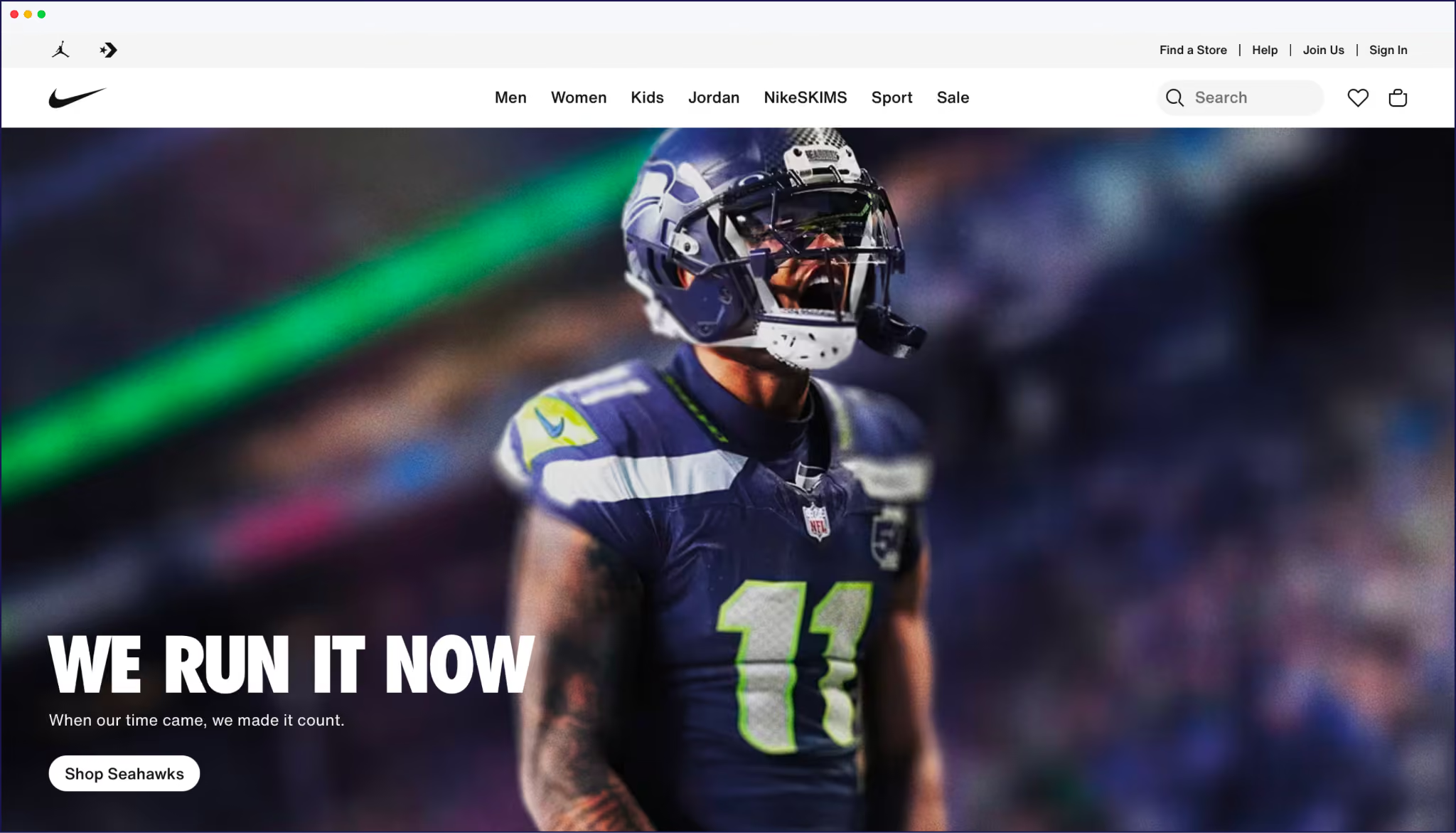
Likewise, check the difference between Nike’s English-speaking and Arabic-speaking sites. The website’s homepage is rearranged and localized by moving the slogan to an RTL position – instantly readable and accessible to local people.

In short, translation adapts the message, while localization adapts the experience, as we can see from the table below.
Remember that translation and localization aren’t competing options – they’re layers of the same process.
You can translate without localizing, but you can’t localize without translating. Every localization project includes translation, but not every translation project goes further. Go deeper with our step-by-step guide on how to conduct website localization.
A translated website can read perfectly and still fail to rank or convert in a new market. The issue is usually down to missing infrastructure.
Search engines don’t evaluate language alone. They rely on technical signals to decide which version of a page to show in each region. If those signals aren’t in place, your translated pages may never appear where they should.
The gaps usually look like this:
These aren’t solely translation tasks, but a part of the localization layer.
Without them, your German pages can exist, but never rank on Google.de. Instead, Google keeps showing your English pages, which German visitors are less likely to trust or convert from.
This is where many translation-only workflows fall short. They focus on text, but skip the structure that makes that text visible and usable in each market.
Tools like Weglot handle this multilingual SEO layer automatically, alongside translation. And the impact is measurable. REVIEWS.io, for example, saw a 120% increase in German traffic and a 20% lift in conversions after combining translation with the right localization setup.

If your translated site isn’t performing, the problem usually isn’t the translation. It’s everything around it.
{{demo-banner}}
The right approach depends on 3 things: your content type, your audience stakes, and the business outcome you care about.
Translation alone is enough when:
In these cases, clarity matters more than cultural nuance. As long as the meaning is preserved, the job is done.
Localization is required when:
Here, small details shape decisions. A mismatched currency, unfamiliar phrasing, or irrelevant imagery can quietly reduce trust. Translation is ultimately a means of sharing information, while localization is for building trust and driving sales. You can find out more with our article on the benefits of localization.
Studies show how much the distinction matters. A CSA Research survey of 8,709 consumers across 29 countries found that 76% prefer to buy in their own language, and 40% won’t purchase from an English-only website. Language gets visitors onto the site, but localization closes the deal. And when that experience is properly localized, the results follow.

Polaar, for example, saw a 39% increase in international revenue after launching localized English and German versions of its store through Weglot.
{{ai-banner}}
If your answer points toward localization, the next question concerns execution. Let’s see how that looks without a dedicated team.
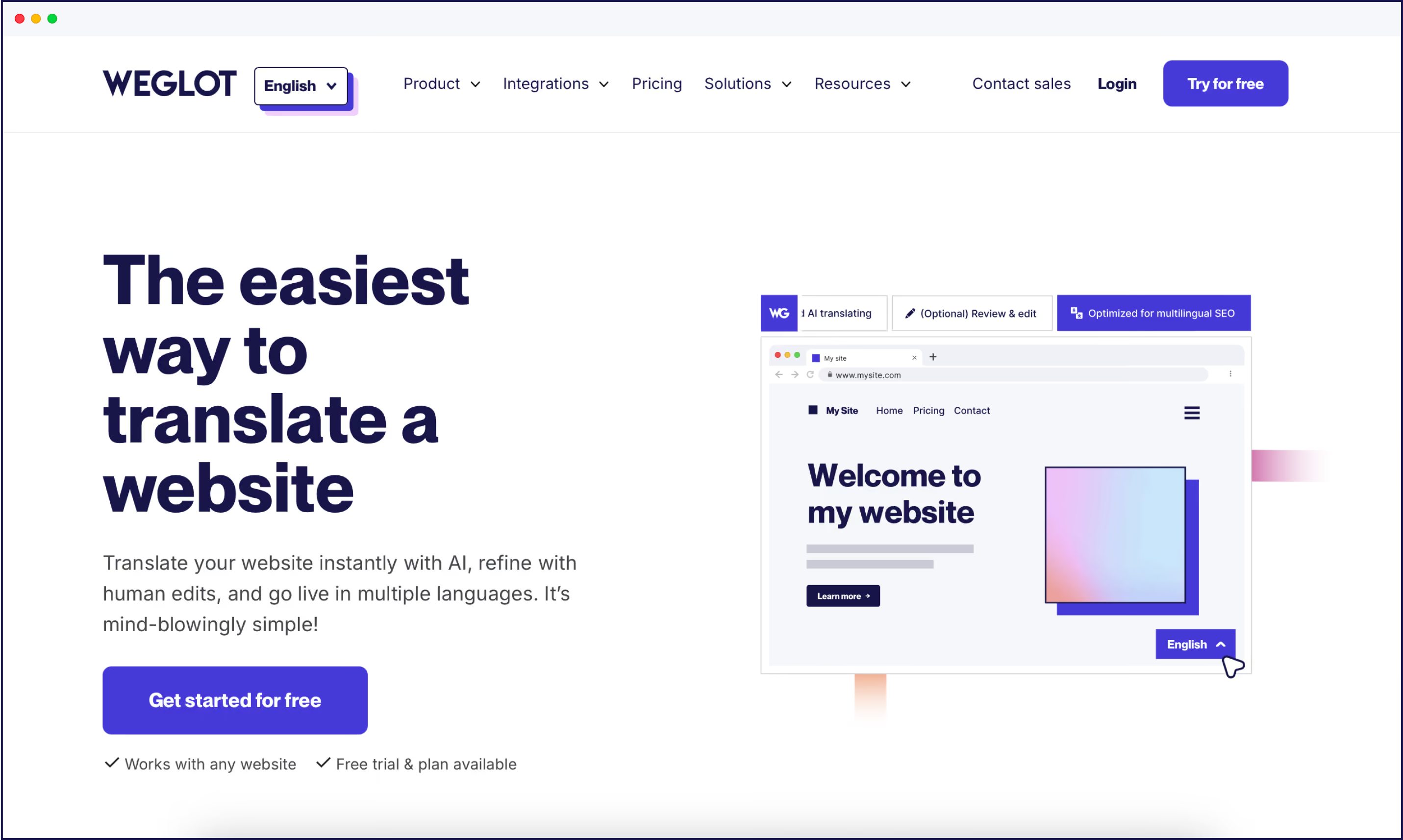
Most teams simply don’t have the time or developers to fully localize their site. A website translation tool like Weglot enables you to localize without extending your headcount, and it’s all achieved through a simple tech-free setup.
On the translation side, you get AI translation in 110+ languages. It automatically detects and translates all your content, including new and updated pages, so your multilingual site stays in sync as it grows.
On the localization side, Weglot handles the technical pieces that make translated content visible and usable in each market. That includes managing your multilingual SEO:
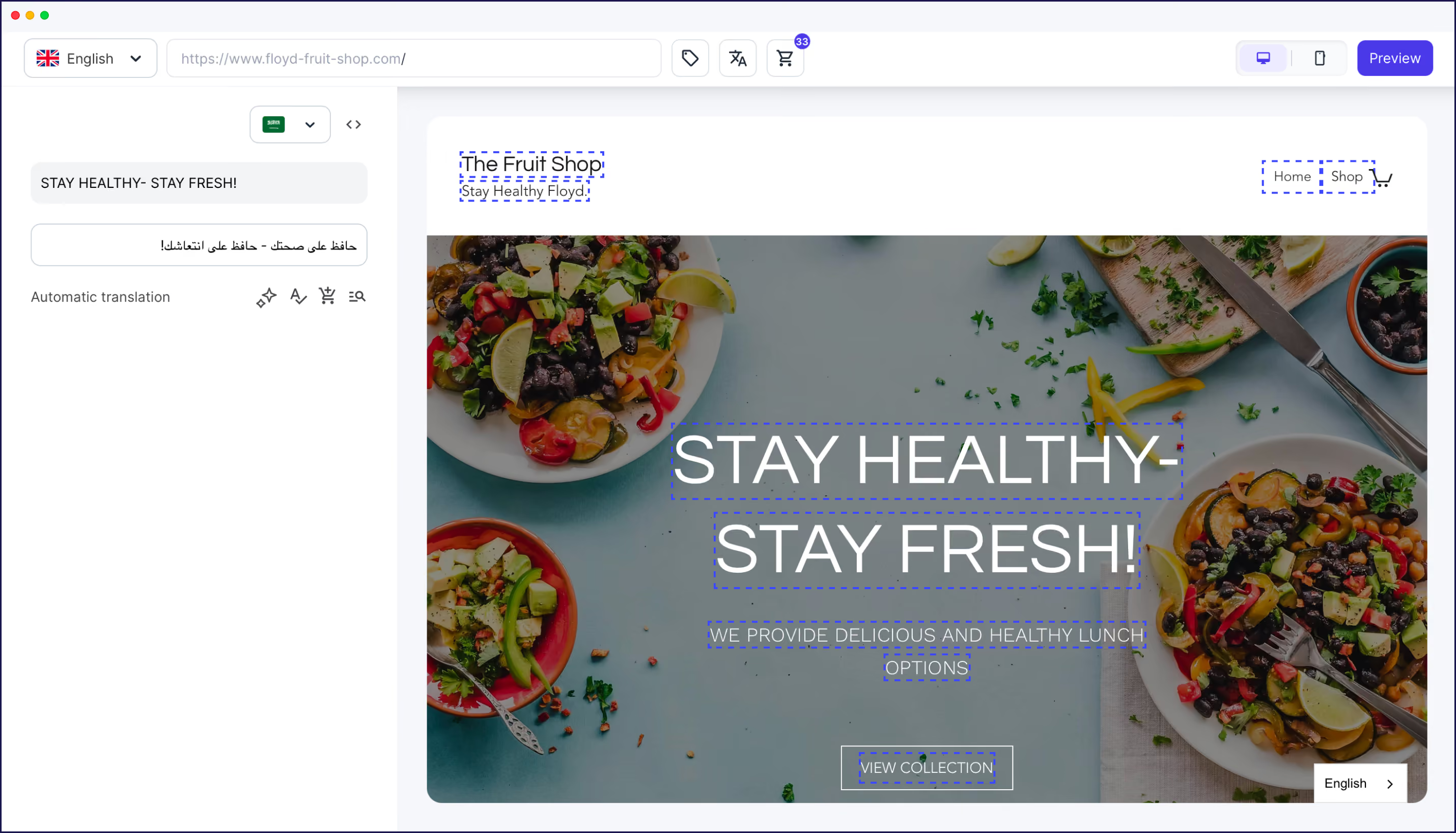
Translation quality is managed through your AI Translation Model, which learns from your brand voice, glossary, and past edits. That means translations improve once you’ve provided the contexts and already reflect how your brand sounds. When needed, you can refine specific sections using the Visual Editor, without touching code.
It works across any CMS, including WordPress, Shopify, Webflow, BigCommerce, or custom-built sites, and doesn’t require a developer to get started. Setup takes under 5 minutes on WordPress, and under 10 on other CMS. Once you’re in, your site is instantly translated into your chosen language, and everything is easy to access via a centralized dashboard. Easy!
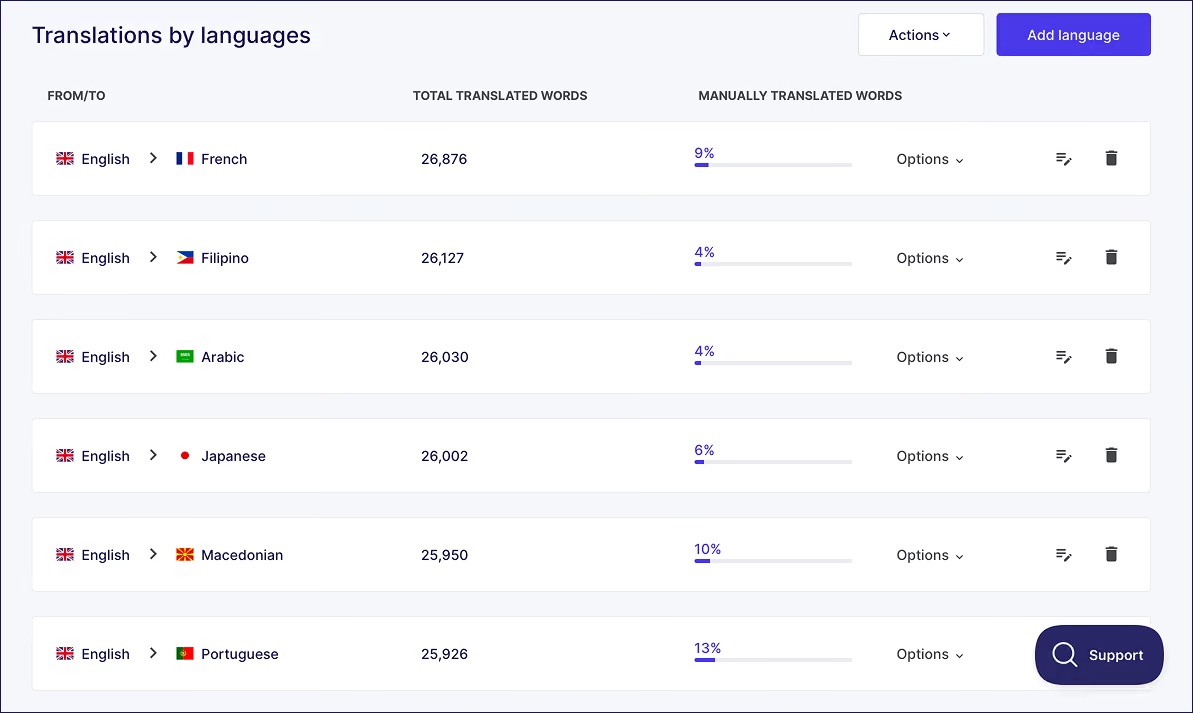
Translation and technical localization are both automated, massively reducing timescales and allowing websites to scale at speed. Cultural decisions like imagery, campaign messaging, or regulated content still sit with your team or partners, so you’ll have total control over the decisions that matter the most.
To explore plan options, check the Weglot pricing page for details.
If you’re not sure where you stand, start with a quick audit.
Look at your current site through a localization lens. Check your hreflang tags, URL structure, metadata, and sitemap. Then review what users actually see, like currency, date formats, and layout for RTL languages if relevant.
This makes gaps obvious. You’ll see where translation exists, and where the localization layer is missing. From there, choose a tool that handles both together. Managing translation in one place and technical localization somewhere else slows everything down.
If you want to see how this works in practice, you can start with Weglot 14-day free trial and test it on your own site. After all, while translation gets the words across, it’s localization that gets customers across the line.

We’ll get your first languages live. You decide how far you want to go. Try Weglot for free today.
Trusted by 110,000+ global brands





Weglot is tested and trusted by brands worldwide since 2016. Join them today.


The best way to understand the power of Weglot is to see it for yourself. Test it for free and without any engagement.
A demo website is available in your dashboard if you’re not ready to connect your website yet.


A translator converts text from one language to another, focusing on accuracy and meaning. A localizer adapts the broader experience, including imagery, formats, layout, payment methods, and legal content. Many professionals cover both, but the skills differ – translation is linguistic, localization is cultural and functional.
Internationalization is the technical groundwork that prepares a product for multiple languages and regions. This includes using Unicode, separating text from code, supporting longer text lengths, and enabling locale-aware formatting. It happens before localization and makes future expansion faster.
Transcreation rewrites content to preserve tone and emotional impact rather than literal meaning. It’s often used for marketing campaigns or ad copy where direct translation falls flat. It sits beyond localization for high-impact, creative work.
Partially. AI handles the translation layer well, and tools like Weglot’s AI Translation Model adapt output based on your brand voice, glossary, and past edits. But cultural choices, local payment methods, and regulated content still need human input.
Internationalization prepares your product to support multiple languages. Localization adapts it for a specific market. i18n is done once; localization repeats for each new audience.


