Try Weglot for free


You’ve started researching and come across many different translation plugins, including Weglot and TranslatePress, so you’re wondering which one you should choose.
While both plugins are very strong, they still differ when it comes to the type of translation projects each is best suited for, user-friendliness, and overall feature set.
Even though we might seem biased, we want to help you make the best possible choice for your business by providing you with an honest, in-depth review of both plugins.
Let’s start!

Weglot is a website translation plugin that helps teams take their website into new languages while keeping their brand unmistakably their own in every market. With AI, translating a website is faster than ever; what matters now is how your brand comes across in each language, and that is what Weglot puts in your hands. Even though it’s CMS agnostic, meaning you can use this solution on every major CMS platform, including WordPress, Webflow, Shopify, Squarespace, and Wix, Weglot started as a plugin for WordPress. We invest a lot of time in our plugin, and WordPress is still our main CMS partner, with more than 110k active websites. It’s also where Weglot 2.0 starts: it builds on the Weglot you know, bringing AI translations that sound like your brand from the very start, a redesigned translation experience, and multilingual discoverability, including in AI search.
That said, being CMS agnostic is important to us as it allows our customers to use multiple CMS and third-party solutions on their websites. If you want to switch to another platform, you can do so with a minimal impact on the multilingual side.
The main idea behind Weglot is to give business and site owners the opportunity to open up their websites to multiple nationalities, removing the restrictions that come with having a single-language website.
Let’s take a look at the main features:
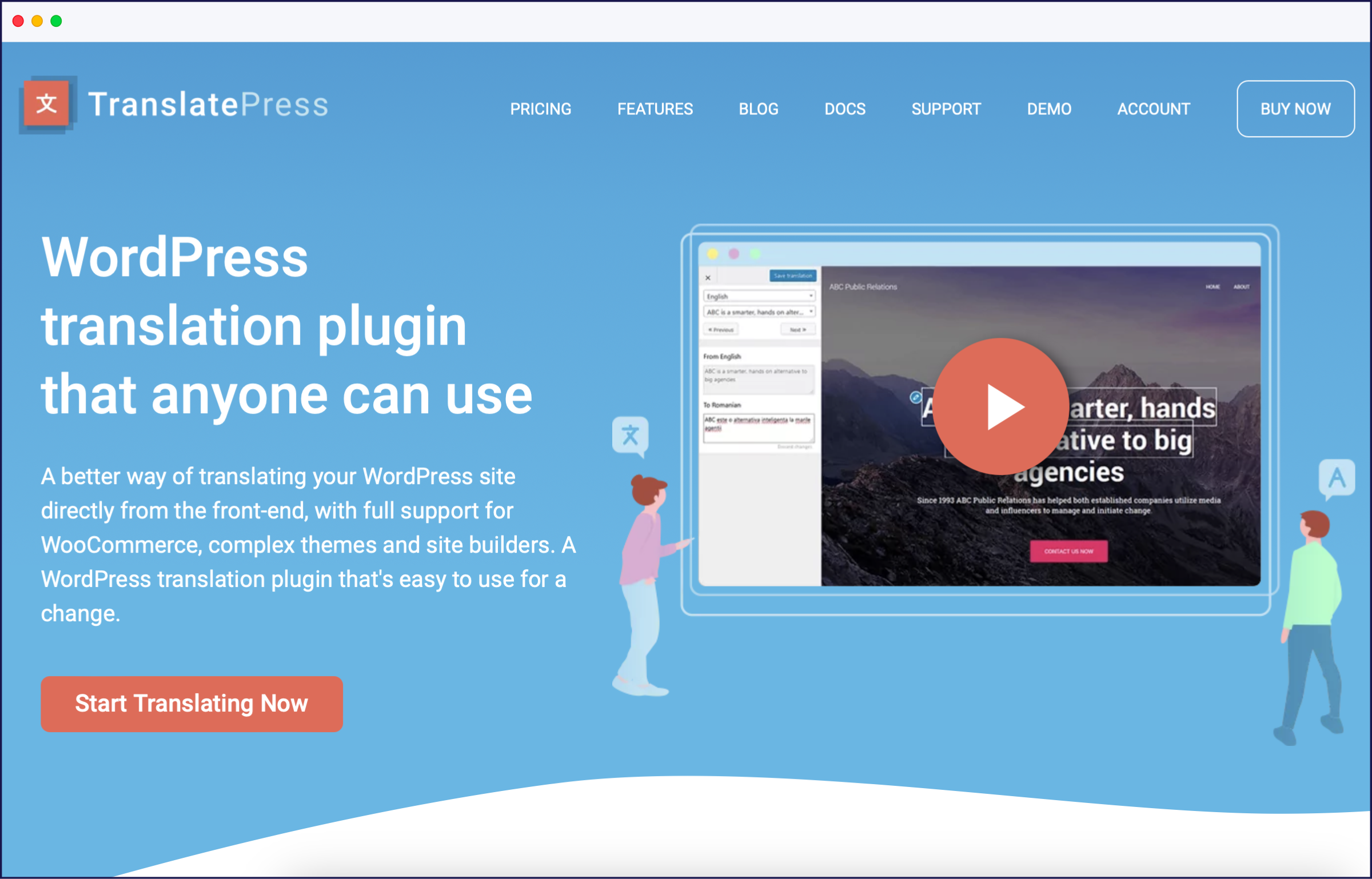
TranslatePress is a translation plugin for WordPress that focuses on providing users with the option to directly translate content from the front end of their website.
Its main features are:
Now that you’re familiar with both translation plugins, let’s dive into our in-depth comparison. We’ll look at the ease of use, translation capabilities, SEO capabilities, and pricing to give you a full picture of which option best meets your needs.
The setup process with Weglot is simple and straightforward.
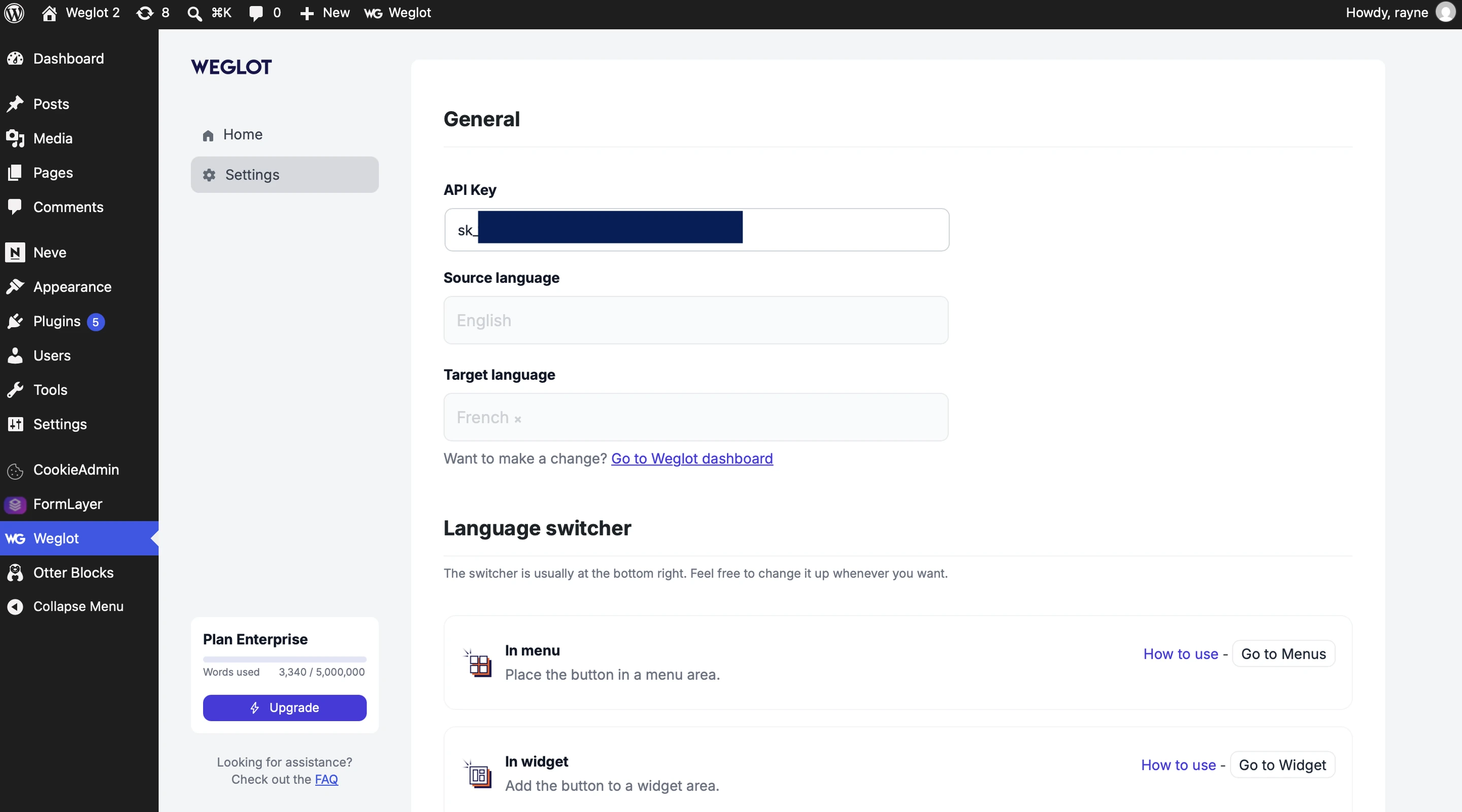
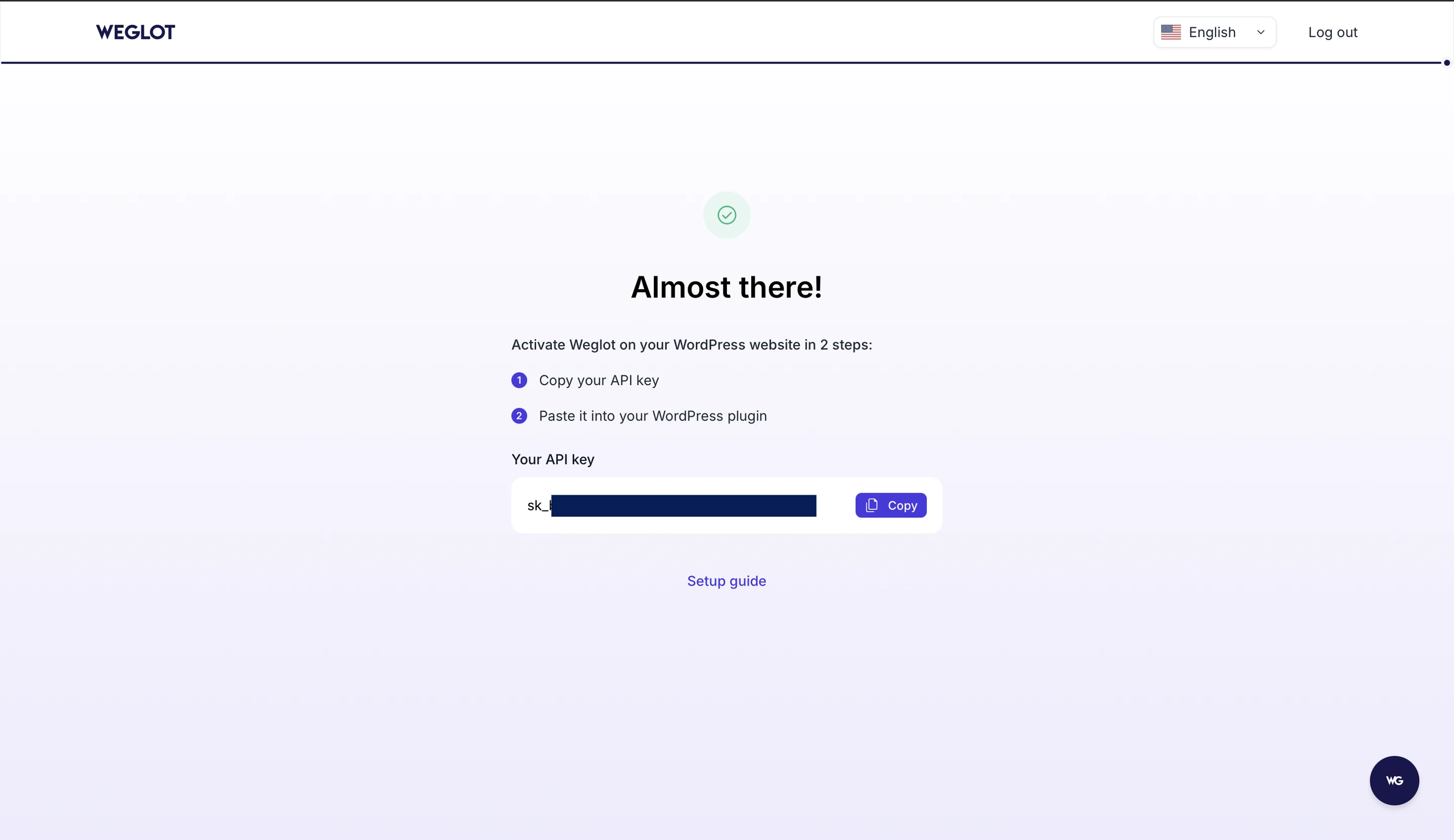
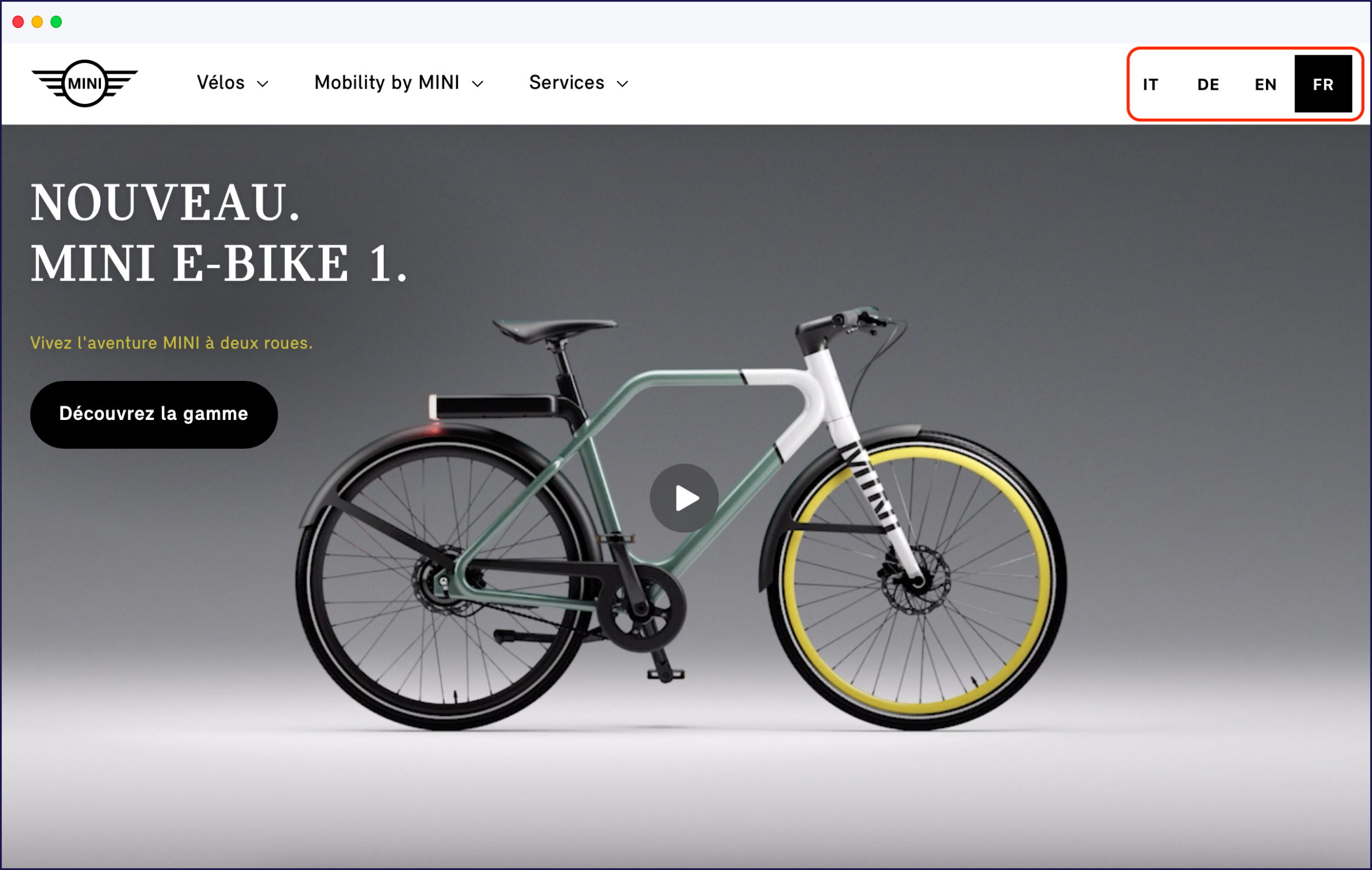
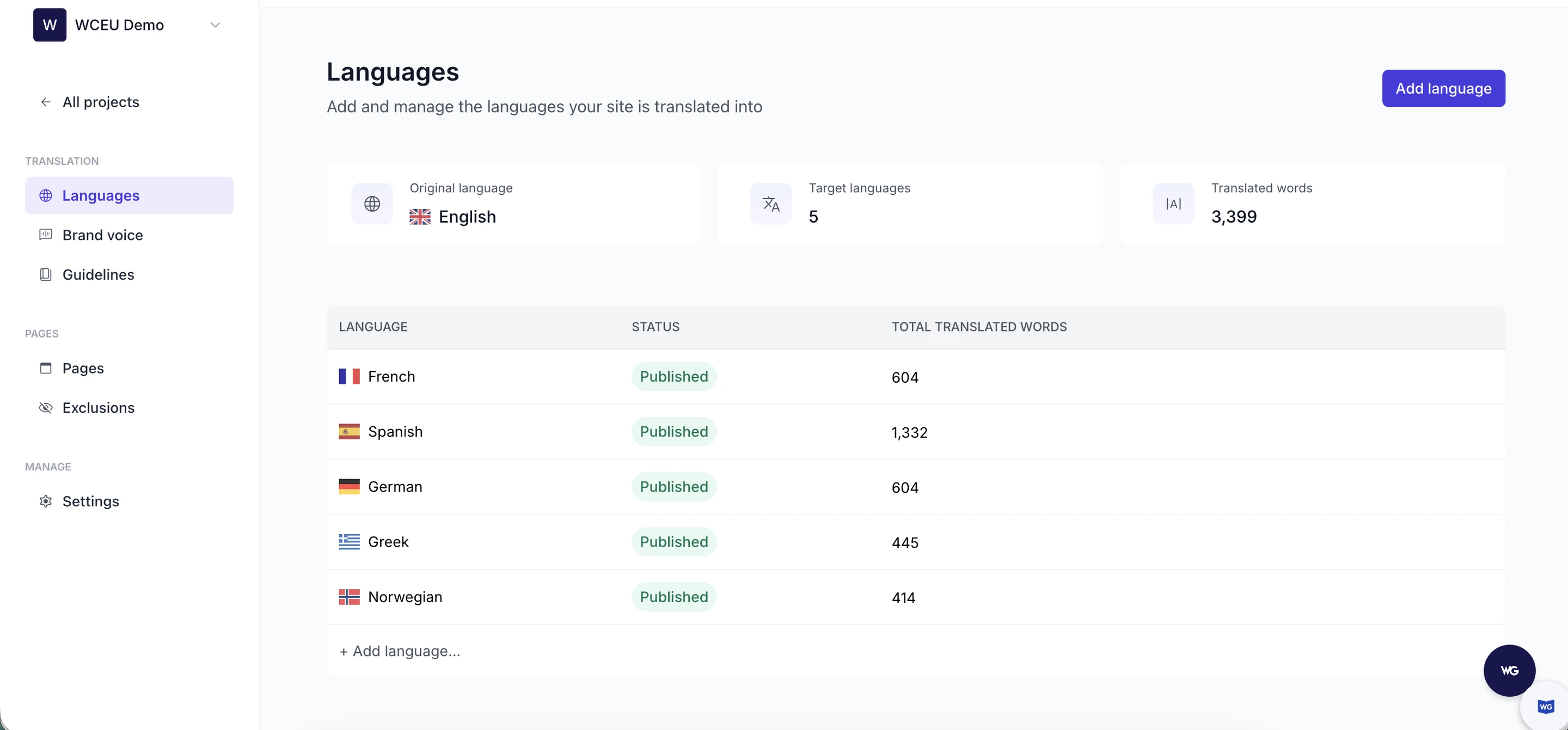
Once Weglot is set up, it will automatically detect and translate any content on your website, including any new content added later. The type of content is not just limited to pages, posts, and products – it also includes lead generation forms, images, dynamic strings, outputs from shortcodes, pop-ups, and email confirmations.
Once everything is translated, you can still manage everything and perform manual changes from the unified dashboard: review translations in context with the Visual Editor, or edit them in bulk from the Translation List.
Translation Guidelines remove the need for editing common mistranslations and keep everything consistent. The guidelines you write can be applied to one language or to all of them at once, and paired with your Brand Voice they make sure your site sounds like you in every market, not only in its original language.
Weglot is a translation plugin that truly focuses on making the process as easy as possible for every user. Content detection, translation, and multilingual SEO are handled for you, and reviewing and publishing happen in the same dashboard, minimizing manual effort significantly. It’s also compatible with any plugin and third-party app.
Since TranslatePress is a plugin built solely for WordPress, the installation and management of the tool happens entirely in the WordPress interface.
Here is how you can start:
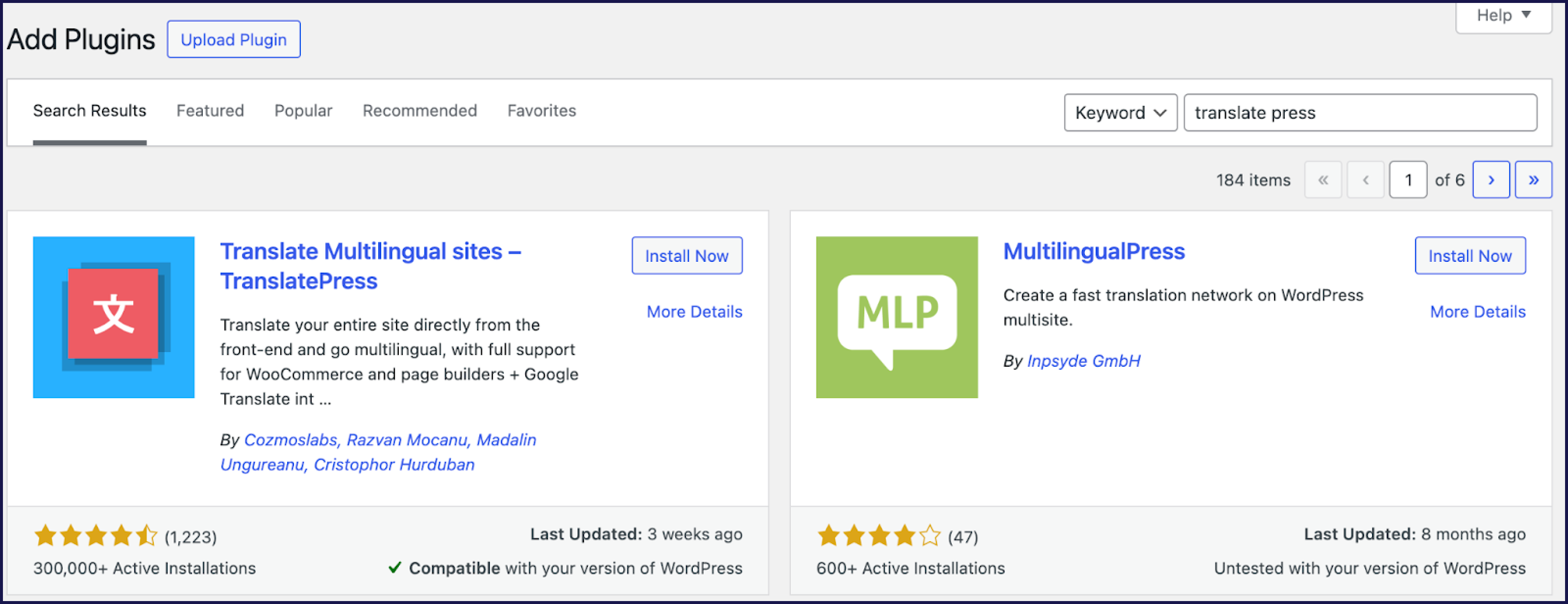
2. Go to the settings of the plugin and choose the language pairs.

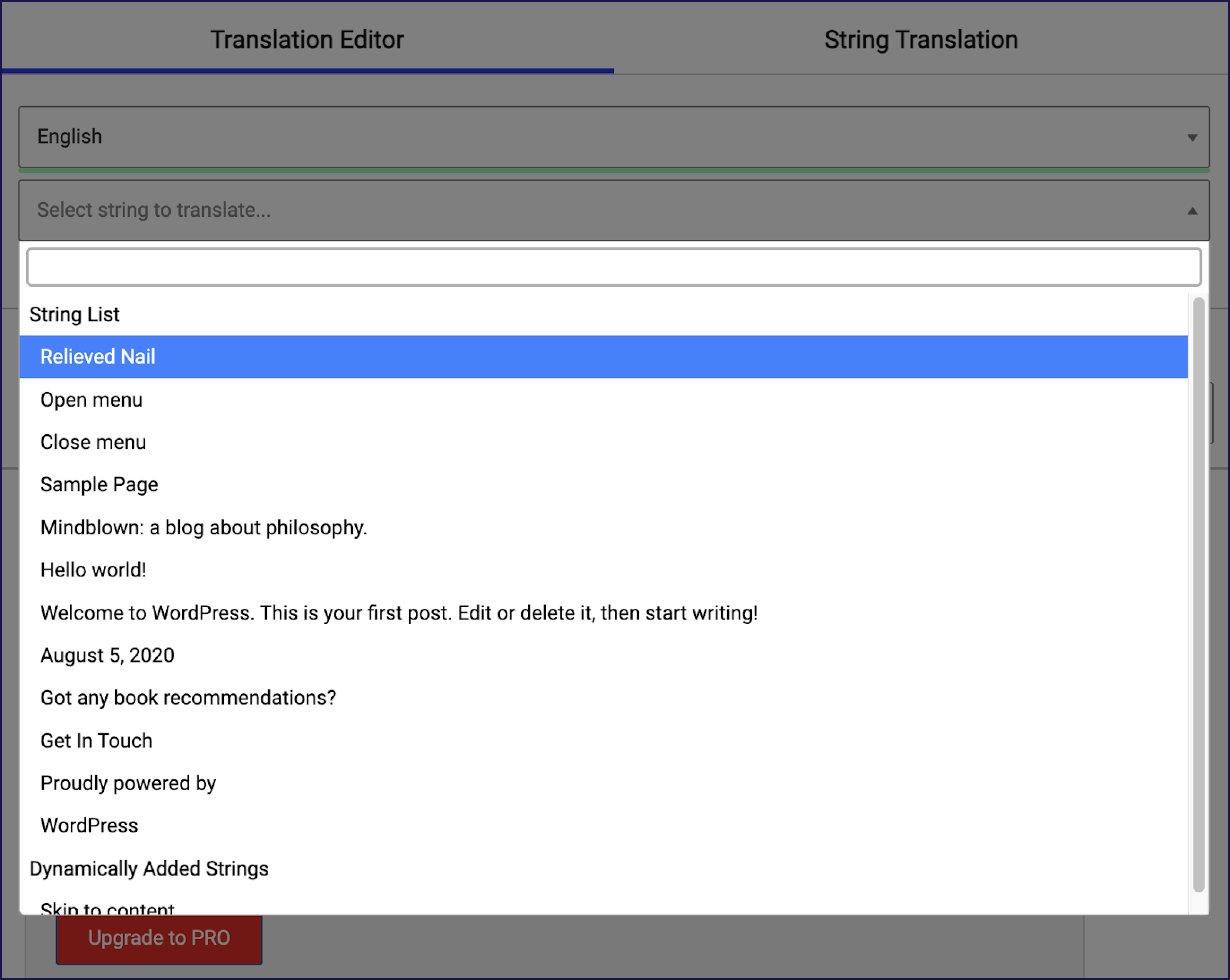
As we mentioned before, the automatic translation requires a bit more work in order to get started with it, and if you’re using a free account, you can only choose the Google Translate option.
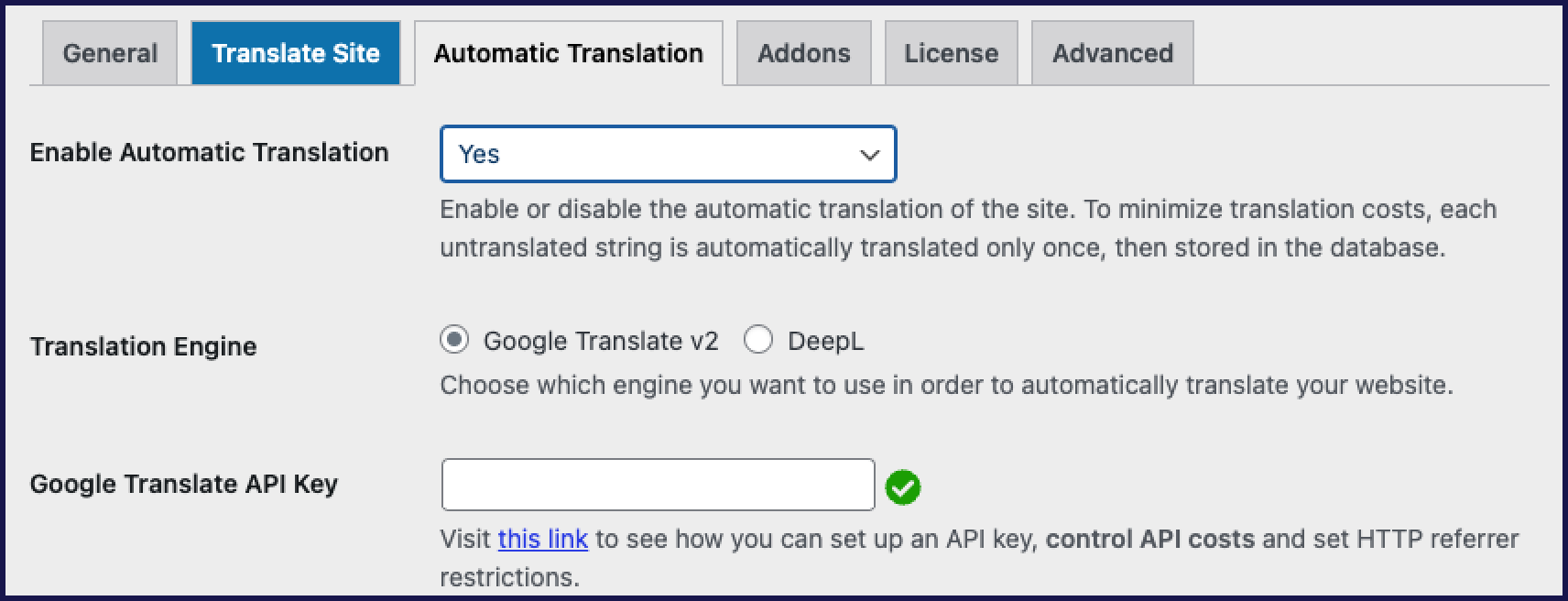
The rest of the settings are pretty straightforward, so once you get past that step with the API, or if you’ve got the paid version, you should have no problems navigating around the plugin and translating different parts of your website.
Both plugins offer users an easy installation process, but Weglot is more user-friendly: AI translation is on from the start, so you can see the translated versions of your website within minutes.
On the other hand, with TranslatePress, you don’t have access to any automatic translation at the start because you need to generate the Google Translate API, which can be a bit harder for non-technical users. It also requires your billing information in order to start up. With Weglot, you don’t have to put in any payment methods, and everything starts working immediately.
Another factor that separates these plugins is that TranslatePress works exclusively in WordPress. While it may be an advantage to have everything in one platform, it can also be a security risk as you’ll have to invite each collaborator to your WordPress admin dashboard, particularly if you rely on external website translation services.
With Weglot, translations are kept separate from your website. And you can safely add and manage collaborators without compromising the safety of your website.
Finally, Weglot is compatible with any plugin. If you were to use a third-party app outside of WordPress, it would still work by detecting the content and allowing you to translate it.
Weglot is slightly ahead for its ease of use and straightforward collaboration: teams handle multiple translation projects from one workspace, with team collaboration and Translation Guidelines for efficient translation management, and they stay in control of how their brand appears in every language and market from the same place they manage the translations.
Weglot is a plugin that offers a very dynamic approach to translation. It automatically detects, translates, and displays content such as text and dynamic elements like media, shortcodes, forms, and page builders, using its AI Translation Model.
The model combines leading AI models with the context of your pages to give users accurate translation of their website in over 110 different languages, and because it follows your brand voice, the same tone and terminology carry over to every market you publish in.
Translations are centralized in the Weglot dashboard, through which you can access many essential functions:
A great option is the Visual Editor, which lets you review and edit translations in context, on a live preview of your website.
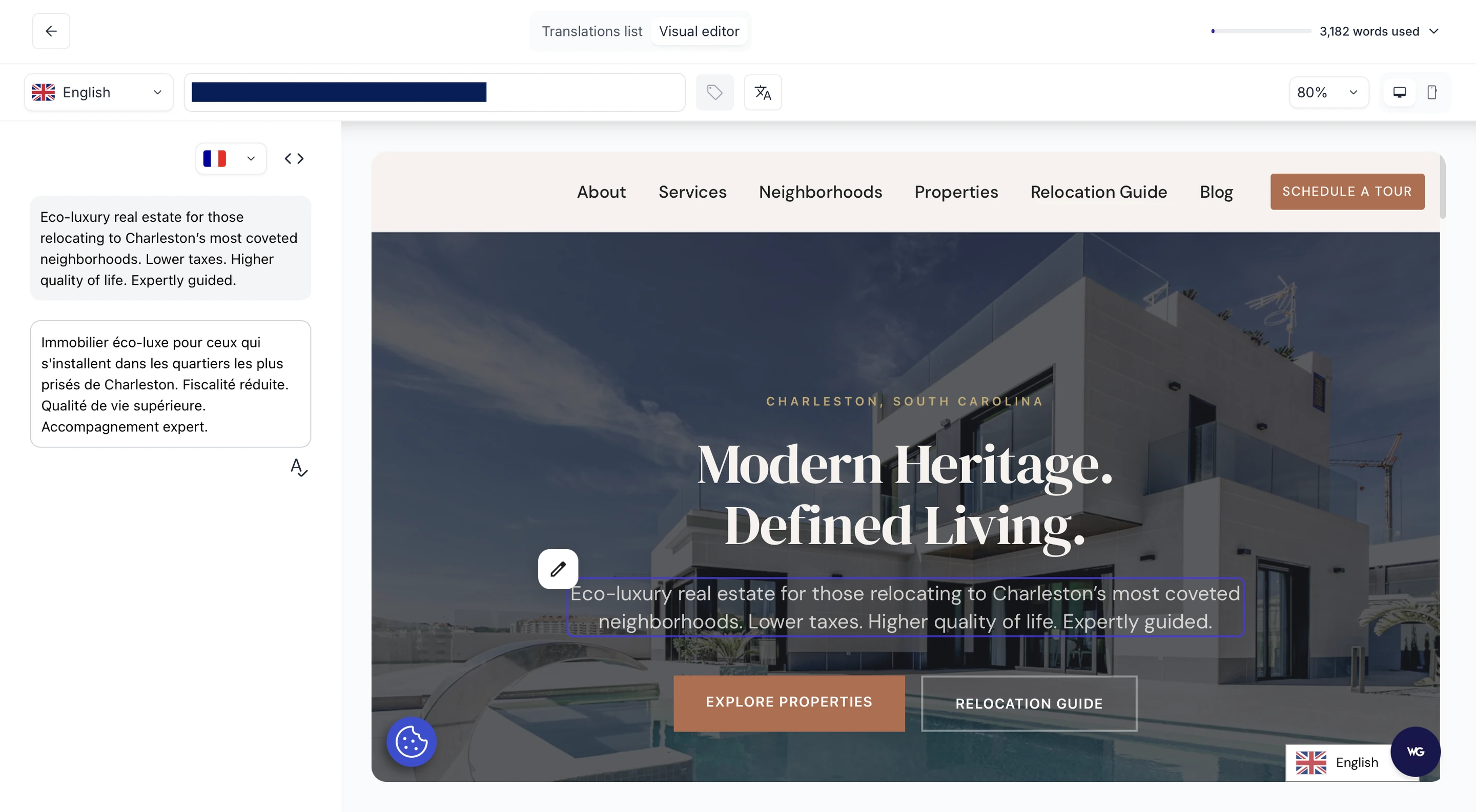
Every single part of this dashboard is easily accessible and allows you to create a fully customized workflow for you and your team.
You can edit translations from the Visual Editor or through a Translations List.
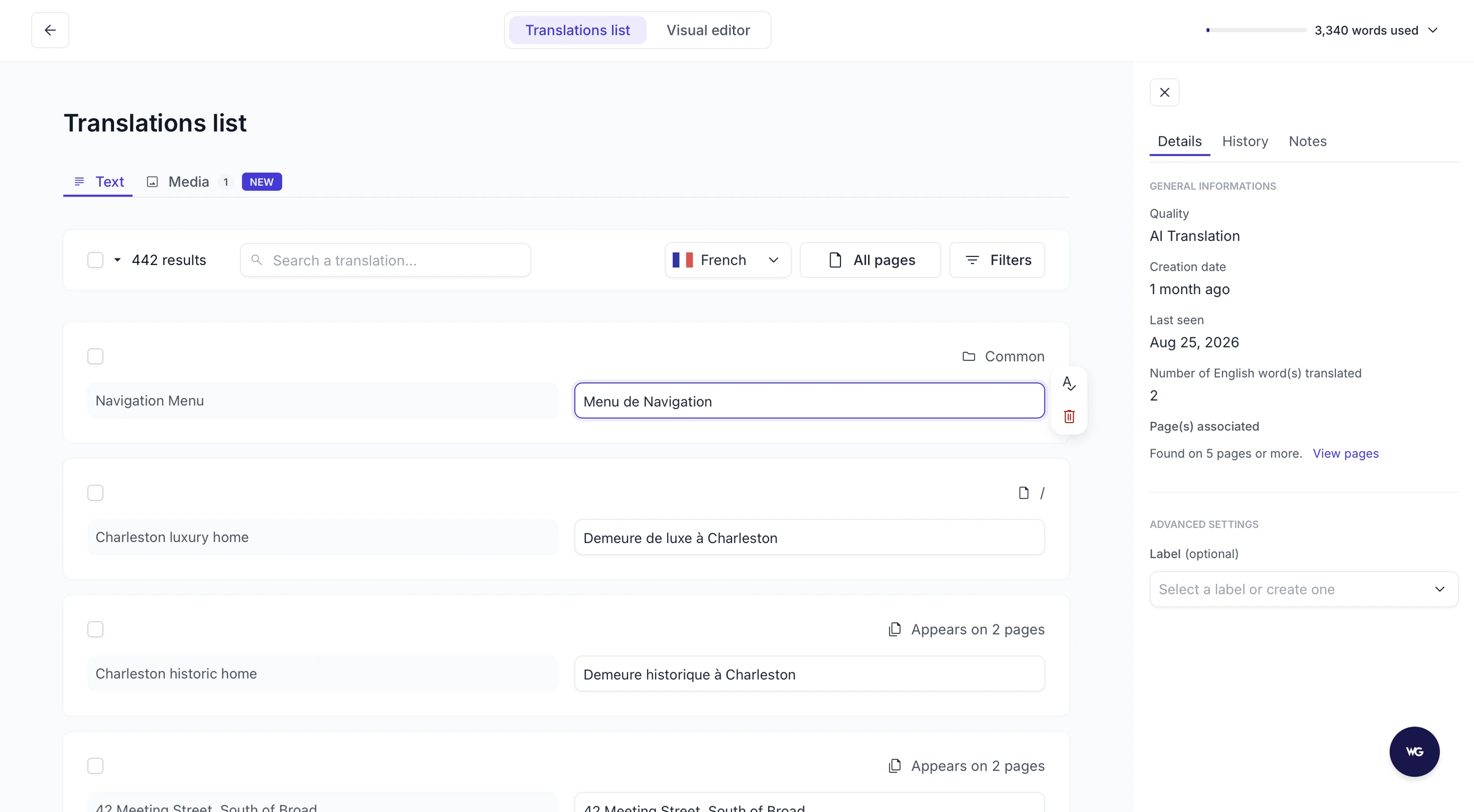
If you don’t like a translation, you can fix it yourself in either view.
Translation Guidelines are a great feature for maintaining consistency in terms, phrases, and brand names, avoiding repetitive edits. You write a rule such as “never translate our product names” or “keep acronyms in uppercase”, apply it to one language or all of them, and every AI translation follows it. This aspect is particularly useful for content localization, ensuring that translations are consistent and resonate with the target audience.

By including language-specific phrases and nuances, you can nurture a better connection with your international customers.
Another thing that helps in creating a consistently localized experience is Weglot's capability to automatically translate new content across every aspect of the customer journey, including forms and pop-ups added from third-party solutions, which isn’t possible with TranslatePress.
This works with a broad range of Content Management Systems (CMS), so you’re not restricted to WordPress should you decide to migrate or if you already have some parts of your website hosted elsewhere – for example, Shopify.
TranslatePress users can automatically translate website content into more than 160 languages and use the visual editor to make any necessary adjustments.
On the other hand, it allows users to choose between machine translation providers: Google Translate in its free version and DeepL for paid plans, which also include the plugin’s own TranslatePress AI engine with a quota of AI-translated words per license.
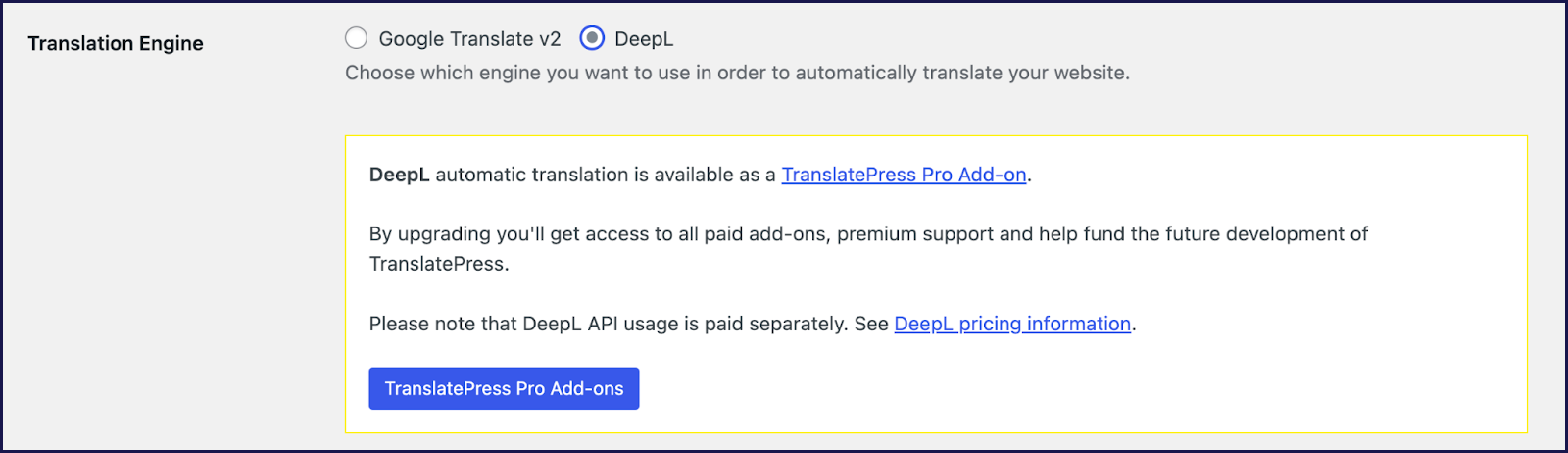
As we’ve seen, Google Translate needs manual integration and is subject to usage limits, while using DeepL incurs additional costs based on the amount of text translated.
Translations in TranslatePress are stored within the WordPress database, and the platform also offers a visual editor for manual translations. This editor allows for the translation of all content, including dynamic elements such as shortcodes, forms, and page builders, as well as images.
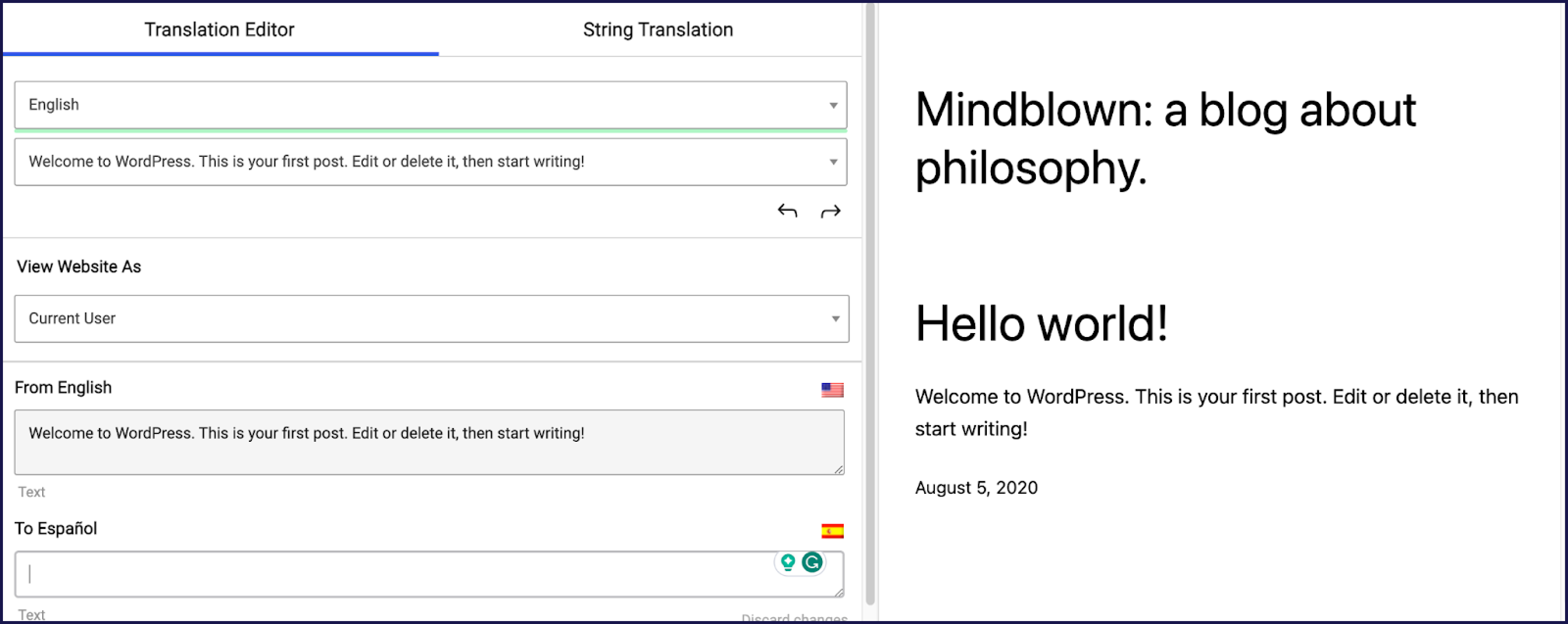
Keep in mind that if you don’t add any machine translation API, you risk not having all of your website content translated. That is unless you’re able to translate everything manually.
Weglot offers a more versatile translation experience: its AI Translation Model follows your Brand Voice and Translation Guidelines and reads the context of your pages, so the translations are ready to publish without a rewrite, whatever the language pair. Its comprehensive dashboard facilitates easier collaboration and management of translation projects, while Translation Guidelines and the emphasis on localization add significant value to the user experience.
In contrast, TranslatePress, while offering effective translation tools, requires more manual setup and management, particularly in integrating MT services and handling translations within the WordPress environment. Weglot's approach is more suited for users who want the whole translation workflow handled for them, while TranslatePress caters to those who prefer a more hands-on, WordPress-integrated approach.
SEO for multilingual websites can be complicated, but with Weglot, that’s not an issue. With every plan, you get important multilingual SEO features, such as:
“Hreflang tags are crucial for effective multilingual SEO because they signal to search engines the language and regional targeting of web pages. “
Rémy Berda, co-founder and CTO of Weglot
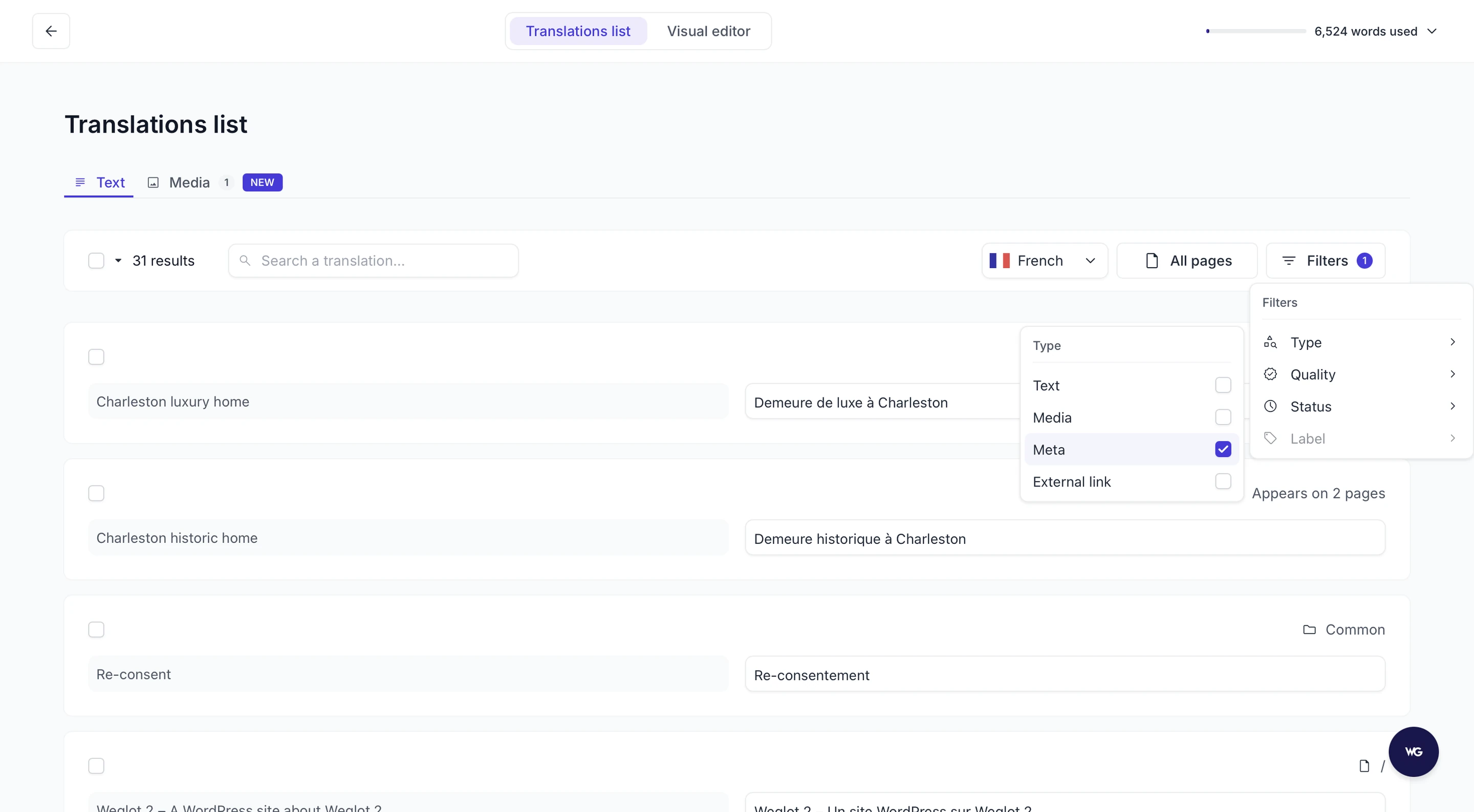
All of the multilingual SEO capabilities are available for free, and you don’t need to pay extra for them.
TranslatePress offers its SEO capabilities primarily through its paid SEO pack. This pack allows users to manually translate vital SEO metadata elements such as URL slugs, page titles, descriptions, image alt tags, and social media titles and descriptions.
Similar to Weglot, TranslatePress automatically sets hreflang attributes for translated content, ensuring proper language targeting for search engines. It also allows users to create multilingual sitemaps, which helps with site indexing.
Both Weglot and TranslatePress excel in providing essential SEO capabilities for multilingual sites, although they use slightly different approaches.
From an SEO standpoint, both plugins are competent, each bringing valuable features to the table that can significantly enhance the SEO performance of multilingual websites. Their respective strengths in automation and detailed control make them equally viable options, depending on user preference and the level of customization required.
However, multilingual SEO-friendliness is free for all plans with Weglot. Plus, Weglot automatically implements multilingual SEO best practices once you install it on your website: language-specific URLs, hreflang tags, and translated metadata, so every published language is ready to be found by search engines and AI-powered discovery experiences.
On the other hand, you’ll have to pay for multilingual features with TranslatePress, and you’ll have to manually set it up.
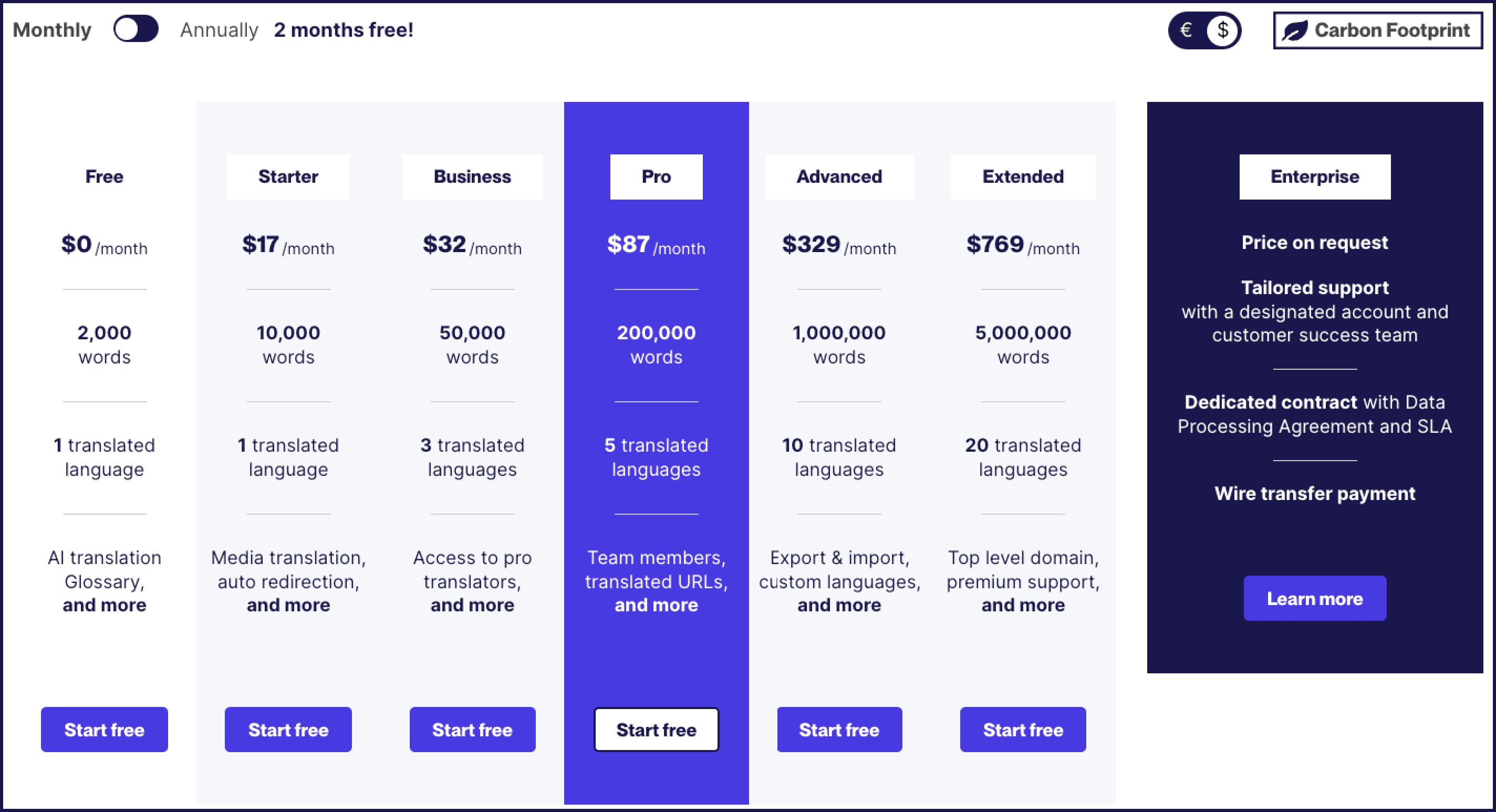
Weglot provides a 14-day free trial that allows users to experience its base translation capabilities for a single language. This includes AI translation, editing control, Brand Voice and Translation Guidelines, multilingual SEO indexing, and visitor language redirection.
As you move up the pricing tiers with Weglot, the number of translatable words, monthly translation requests, supported languages, and websites increase. Premium support becomes available in higher-tier plans.
The pricing begins at €15/month, scaling up to an enterprise plan with custom pricing, making it a versatile option for businesses of all sizes.
TranslatePress offers a free version that includes translation to only one language via the Google API and manual translation through the visual editor. It does not include, however, the possibility of translating SEO titles, descriptions, and slugs or Yoast SEO support.
Its paid plans, which range from €8.25/month for the Personal plan to €29.09/month for the Developer plan (with the Business plan at €16.59/month, all billed annually), unlock additional features. These include a quota of AI-translated words through TranslatePress AI, multilingual SEO tools, more languages, DeepL API integration (you need to pay extra for that), and the ability to use TranslatePress on multiple websites.
The highest plan offers full access to TranslatePress's features, including support for unlimited sites.
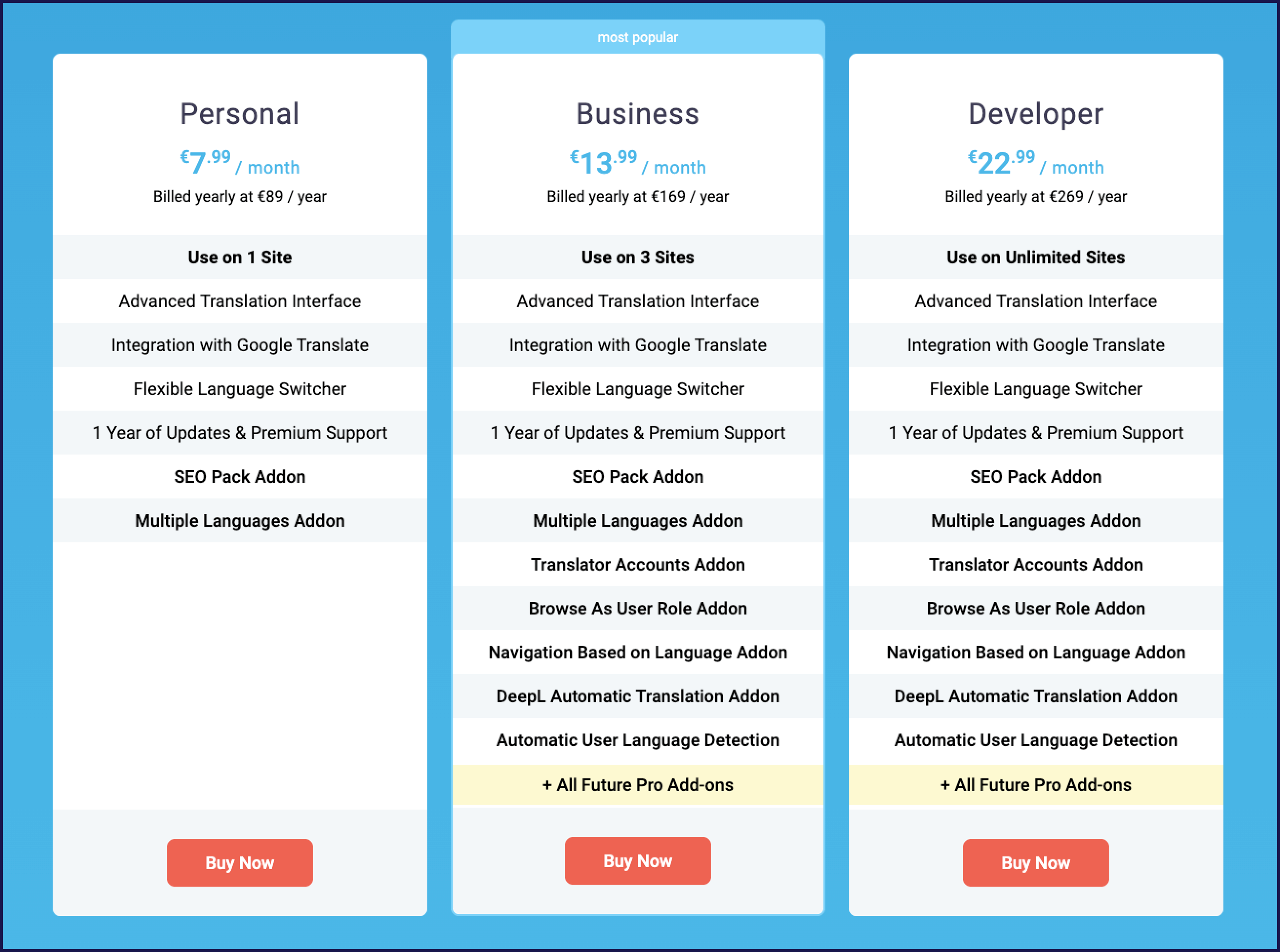
Weglot proposes a more comprehensive plugin. It offers a broad range of features, including multilingual SEO tools and AI translation across all its plans, and the free version gets the same on-brand translation quality as the paid tiers. This pricing structure gives you the features and capabilities you’ll need as your website and translation needs grow. In contrast, TranslatePress reserves some of its advanced features, like multilingual SEO tools, for its paid plans.
In essence, TranslatePress is a great plugin with more basic features, mostly suited for smaller-scale projects. Weglot, meanwhile, suits businesses that want a complete, scalable plugin that reduces the time spent maintaining a website in multiple languages, keeps their brand consistent across every language and market they publish in, and makes them discoverable there, in search engines and AI search alike. Each plugin's value depends on the specific requirements and scale of the user's project.
If you’re already researching translation plugins, you’ve probably stumbled upon Polylang and the Multilingual Plugin (WPML), so in this section, we’ll take a quick look at both tools.

Polylang is a popular translation plugin for WordPress designed to make creating a multilingual WordPress website straightforward and efficient.
Key features:
Costs:

WPML is a comprehensive solution for building multilingual sites on WordPress. It caters to both simple blogs and complex corporate sites.
Key features:
Costs:
If you’re looking to expand your global reach and enhance user experience, you need to select the right translation plugin for your WordPress site. Both Weglot and TranslatePress, along with Polylang and WPML, stand as strong choices for bringing your web content to a diverse, multilingual audience. Each of these plugins offers unique strengths and features that cater to different requirements and website complexities.
It's essential to align your choice with your specific needs. Whether you prioritize automated ease-of-use, control over translations, SEO capabilities, or cost-effectiveness, there's a plugin that fits the bill. The comparison table below will help you figure out which one is the best for your needs:
| Criteria | Weglot | TranslatePress |
|---|---|---|
| Ease of use | Quick install, automatic content detection, AI translation enabled by default. Redesigned dashboard, Visual Editor, Translation List, Translation Guidelines, and team collaboration. | WordPress-only plugin. Installation is simple, but more manual setup is needed. Visual front-end editor for translations. |
| Translation capabilities | AI Translation Model that writes in your Brand Voice and follows your Translation Guidelines, in-context editing in the Visual Editor, bulk edits in the Translation List. Automatically detects and translates all dynamic and third-party content. | Manual translations managed via visual editor. Automatic options through Google Translate (free) or DeepL (paid). SEO Pack required for some advanced translation features. |
| SEO capabilities | Full multilingual SEO out of the box: dedicated language URLs, translated metadata, hreflang tags, server-side rendering, visitor redirection. | SEO-friendly URLs supported. To translate metadata, slugs, and add hreflang/sitemaps you need the paid SEO Pack. Manual setup required. |
| Pricing | Free trial (2,000 words, 1 language). Paid plans from €15/month. Scales by words, languages, sites, with advanced features included in higher tiers. | Free version (1 language, limited). Paid yearly licenses from €99/year. Advanced features (like SEO Pack, DeepL support) in higher tiers. |
| Best for | Businesses and teams wanting AI translations that are on-brand from the very start, multilingual SEO that works out of the box, and the freedom to use Weglot beyond WordPress. | WordPress users seeking a lower-cost entry point and willing to manage translations manually or with basic MT, and configure SEO with add-ons. |
Weglot comes out as the more comprehensive plugin, offering an exceptional user experience with its powerful website translation capabilities and an impressive multilingual SEO toolkit. It simplifies the translation process, making it an ideal choice for businesses that want translations that already sound like them, with full control over the final quality. On the other hand, TranslatePress demands more manual input but provides a strong platform within the WordPress ecosystem.
Your decision on a translation plugin can significantly impact your website's accessibility, market reach, and business growth. A well-chosen plugin not only breaks language barriers but also opens up new avenues for global engagement. With Weglot 2.0, it also decides how your brand shows up abroad: one workflow keeps your multilingual website and owned content true to your brand and gets it found in every market, whether people use a search engine or ask ChatGPT or Perplexity.
If you want to see Weglot 2.0 on your own site, start your 14-day free trial and experience firsthand how it turns your WordPress site into a multilingual hub.


Trusted by 110,000+ global brands


Reach new audiences in minutes without sacrificing your team’s time. Anyone can install it.